Logs
Clever Cloud new logs stack is based on Vector and Apache Pulsar. This Web Component allow you to check for live or past logs. You can target a specific time window, select logs lines and copy them in clipboard through keyboard and/or mouse. It’s not available for add-ons yet.
There are two text filter modes: exact match (case-sensitive) and regular expression. Settings panel offers lots of parameters such as dark/light themes, line wrapping, ANSI codes escaping, etc. You can also choose the date/time format, UTC or local, to show the instances name or not.
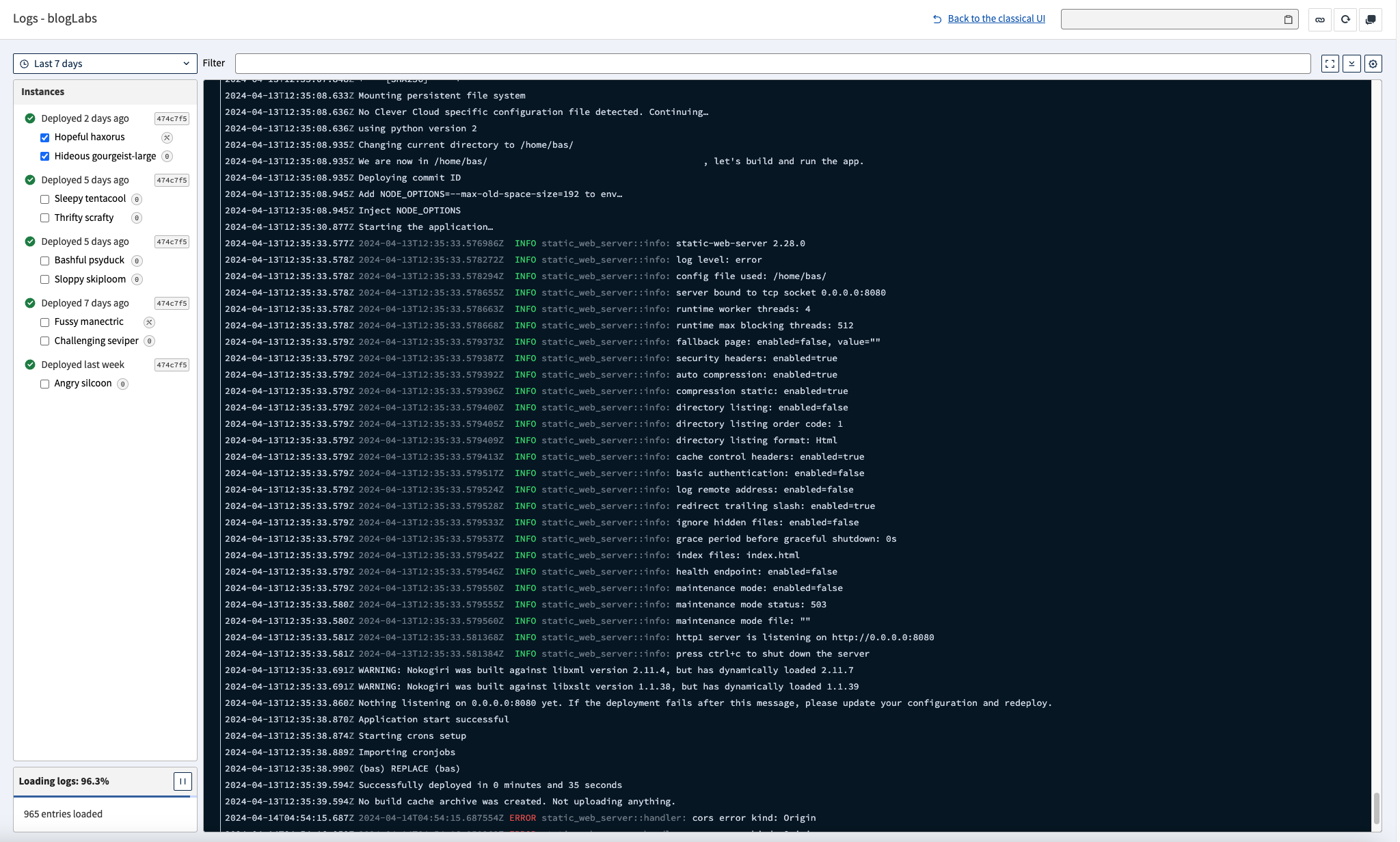
This interface is constantly improving, used for logs and access logs, send us your feedback through our GitHub Community:
Get continuous logs from your application
Log management is also available through Clever Tools and our APIv4. They’re collected and sent through the Vector service enabled in every application deployed on Clever Cloud. To disable it, set the CC_PREVENT_LOGSCOLLECTION environment variable to true. You can see logs with the command down below.
clever logsYou can add --since or --until, followed by a duration, a number of seconds, a date (ISO8601 format) or now.
clever logs --since 2h
clever logs --until 2024-04-15T13:37:42Z
Without --until, clever logs keeps following new lines after printing the past ones, even with --since. Set --until to stop at a given end time and get the prompt back, as a script or an AI agent needs, and add --since to choose where to start. Use --until now to read up to the current time. The json output format requires --until:
clever logs --since 15m --until now
clever logs --since 15m --until now --format json
You can also get your add-on’s logs by using --addon flag, the value is the add-on ID starting by addon_, or its real ID:
clever logs --addon postgresql_xxxxxxxxclever logs.See Access Logs for incoming HTTP requests, and Drains to forward everything to an external tool.