













Few days ago, Marak Squires, the developer behind the open-source npm libraries colors and faker, decided to corrupt the libraries, to denounce issues in open-source projects’ funding system.
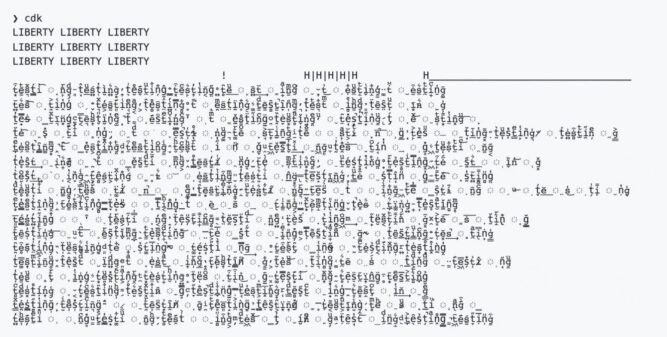
The infinite loop introduced by the developer broke several apps using these libraries by printing the text ‘LIBERTY LIBERTY LIBERTY’ and non-ASCII characters in the apps’ logs.
It causes a lot of trouble as the colors library receives over 20 million weekly downloads on npm alone and has almost 19,000 projects relying on it. Whereas, faker receives over 2.8 million weekly downloads on npm, and has over 2,500 dependents.
How to check if your Node.js app is impacted?
The first thing to do is to check if your app is using the npm libraries ‘colors’ or ‘faker’. To do so, run either:
npm ls colors
Or
npm ls faker
You will get an output like this:
my-project@1.2.3 /home/me/my-project
├─┬ @storybook/addon-docs@5.3.18
│ └─┬ vue-docgen-loader@1.5.0
│   └─┬ jscodeshift@0.7.0
│     └── colors@1.4.0  deduped
├─┬ @storybook/vue@5.3.18
│ └─┬ @storybook/core@5.3.18
│   └─┬ cli-table3@0.5.1
│     └── colors@1.4.0  deduped
└── colors@1.4.0
With this output, we can identify that this project uses ‘colors’ directly with version 1.4.0 and through transitive dependencies, also in version 1.4.0.
Your app uses ‘colors’ or ‘faker’, what can you do?
If your app uses one of these npm libraries, we invite you to check three thing:
Check the version
First of all, you need to check if you’re using one of the compromised versions of these libraries:
- colors:
1.4.1,1.4.2, and1.4.44-liberty-2 - faker:
6.6.6
Check the package-lock.json
Do you have a package-lock.json? If you don’t we invite you to read the documentation and add one to your project.
If you do, you need to force a version which is not compromised (1.4.0 for colors and 5.5.3 for ‘faker’). You’re using npm? You can try with the module npm-force-resolutions. You’re using Yarn? You can use the process described in this documentation.
Update your tools to their latest version
We also invite you to check if the dependencies you use released an update. As an exemple, if you use Storybook, the v6.4.10 released earlier yesterday fixes the issue.
A note for Clever Tools users
By the way, if you use our CLI, the clever-tools, and if you installed it via npm, please upgrade to v2.8.1.